Updated September 22, 2026
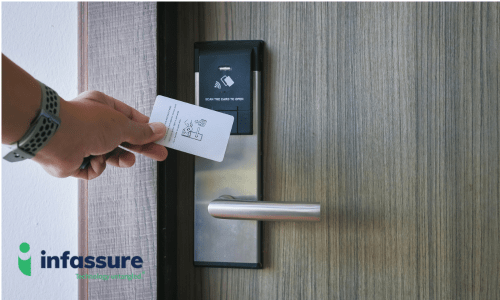
A smart card reader is a device that reads the encrypted data stored on a microchip inside a card, badge, or key fob. In access control, the reader sits next to a door, gate, or turnstile. When someone presents their card, the reader pulls the card’s unique ID and sends it to a control panel, which decides whether to unlock the door.
Key Takeaways
- A smart card reader reads the encrypted chip in a card, fob, or badge and sends that ID to an access control panel, which decides whether to unlock the door.
- There are three reader types: contact, contactless, and dual-interface. Contactless is the standard for commercial doors.
- Readers should use OSDP, not Wiegand, for panel communication, and should support 13.56 MHz encrypted credentials rather than older 125 kHz proximity cards.
- Readers don’t make access decisions on their own; the control panel and software handle that.
- Most modern readers also accept mobile credentials from a phone or smartwatch.
You’ve probably used one today without thinking about it. Office badges, hotel room keys, and chip-enabled credit cards all work the same way. The difference in a commercial building is what happens after tapping the card. In this case, the reader is just one piece of a larger system that logs every entry and lets managers control who gets in, where, and when.
This guide covers how smart card readers work and what to look for if you’re adding or upgrading readers at your facility.
How a Smart Card Reader Works
A smart card has no battery, so it can’t do anything on its own. The reader supplies the power and starts the conversation, and the entire exchange happens in a fixed sequence. Here’s the sequence for a contactless reader, which is the most common type on commercial doors:
- The reader sends out a low-power radio field. It’s always on, waiting for a card to come within a few inches.
- The card’s antenna picks up that field and wakes up the chip. The field itself powers the chip for the fraction of a second it’s in range.
- The reader and chip exchange encrypted data. On modern cards, the reader must prove it’s authorized before the chip shares its ID. This is what makes smart cards hard to clone.
- The reader passes the ID to the access control panel. Readers don’t make the decision. They hand off the credential over a wired protocol like OSDP or Wiegand.
- The panel checks its rules and responds. If the person is allowed through that door at that time, the lock releases. If not, the door stays locked and the attempt is logged.
The whole process takes well under a second, which is why readers can handle busy lobbies and parking gates without lines forming. The reader’s only job is that handoff; everything downstream, from decision-making to logging, happens in the panel.
The Three Types of Smart Card Readers
Readers are grouped by how they physically connect to the card, and that connection method affects speed, durability, and cost. The right choice usually comes down to where the reader sits and how much traffic passes through it each day.
Contact Readers
A contact reader needs the card physically inserted into a slot. Metal contacts on the reader touch a small gold-plated pad on the card, and data moves through that direct connection. You’ll see these on point-of-sale terminals, government ID systems, and computer logins that use a smart card. They’re very secure but slow for door access, so they’re rare on building entrances.
Contactless Readers
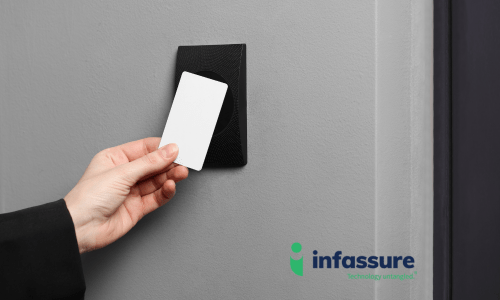
A contactless reader communicates with the card wirelessly using RFID, usually at 13.56 MHz. The card only needs to be within a few inches. This is the standard for commercial access control because it’s fast, there’s nothing to wear out, and it works through a wallet or badge holder. Most contactless readers can also read mobile credentials from a phone or smartwatch.
Dual-Interface (Combined) Readers
A dual-interface reader supports both contact and contactless cards. These are useful when a facility has mixed credentials, or when you’re migrating from an older card type and need both to work during the transition. Some also read older 125 kHz proximity cards alongside newer smart cards, which lets you swap out credentials on your own timeline instead of all at once.
| Contact | Contactless | Dual-Interface | |
|---|---|---|---|
| How it reads | Card inserted, physical contact | Radio field, card held near reader | Either method |
| Speed | Slower (insert and wait) | Under one second | Depends on card used |
| Wear and tear | Contacts wear over time | None | Some on the contact slot |
| Best for | Computer logins, ID verification, payments | Doors, gates, turnstiles, elevators | Migrations, mixed-credential sites |
| Typical cost | Low to moderate | Moderate | Higher |
For most commercial doors, contactless is the right default, with dual-interface reserved for buildings still transitioning off older credentials.
What Smart Card Readers Do Well
Compared to keys, PIN pads, or older magnetic stripe cards, smart card readers offer a few clear advantages. Most of these come down to two things: the credential is harder to fake, and every use gets recorded automatically.
- Encrypted credentials. Modern smart cards can’t be copied with a cheap cloning tool the way older proximity cards can. The reader and card verify each other before any data moves.
- No shared secrets. A PIN can be watched or shared. A card is tied to one person, so the access log actually tells you who came through.
- Fast throughput. A tap takes less time than swiping or typing, which matters at a lobby with hundreds of people arriving at 8 a.m.
- Mobile credential support. Most current readers also accept credentials stored on a phone, so you can issue access without handing out a physical card.
- Easy to swap out. Readers are the most visible part of the system, but they’re also the easiest to upgrade. In many cases you can replace older readers without touching the control panel or wiring.
Things a reader doesn’t do on its own: it doesn’t store user lists, set schedules, or decide who’s allowed in. All of that happens in the control panel and software. If you want to understand the full system, our guide to RFID access control systems covers the panel, credentials, and frequencies in detail.

Where Are Smart Card Readers Used?
Smart card readers show up anywhere an organization needs to control access and keep a record of it. The specific use case varies by industry, but the goal stays the same: knowing who went where, and when.
Offices and Multi-Tenant Buildings
Office buildings and corporate campuses typically install readers at main entrances, elevators, server rooms, and after-hours doors. Multi-tenant commercial properties take this further, using readers to give each tenant’s suite its own separate permissions off a shared lobby.
Regulated and High-Security Facilities
Healthcare facilities use readers to log access to pharmacy storage and records rooms, since that activity often needs to be documented for compliance. Manufacturing and industrial sites rely on zone-based access to keep visitors and contractors away from hazardous areas, while data centers and other critical infrastructure sites treat encrypted credentials and a full audit trail as a baseline requirement rather than an upgrade.
Hospitality, Education, and Worship Spaces
Hotels use readers for guest rooms and back-of-house doors, where convenience for guests matters as much as security. Schools and houses of worship take a different approach, prioritizing controlled entry during set hours and the ability to lock down quickly if a situation calls for it.
The common thread across all of these is the same: any facility that needs to prove who went where, and when, is a good candidate for smart card access.
What to Look for When Choosing a Reader
If you’re specifying readers for a new building or replacing old ones, a handful of questions will do most of the work of narrowing your options. Getting these right up front avoids having to replace hardware again in a year or two.
- Does it support 13.56 MHz encrypted cards? If a reader only reads 125 kHz proximity cards, it’s reading a credential that can be cloned in seconds. Look for support for modern smart card formats.
- Does it read mobile credentials? Bluetooth or NFC support lets you issue access to a phone. This is quickly becoming the expectation rather than a nice-to-have.
- Is it multi-technology? A reader that handles old prox cards, new smart cards, and mobile lets you upgrade credentials gradually.
- Does it use OSDP? OSDP is the newer, encrypted way for readers to talk to the panel. Wiegand still works but sends data in the clear. For new installs, OSDP is the better choice.
- Will it fit the location? Mullion-mount readers fit narrow door frames. Wall-mount readers offer a larger read range. Outdoor readers need a weather rating. Some models add a keypad for two-factor entry.
- Does it match your existing panel? Not every reader works with every controller. This is where an installer earns their keep.
None of these questions has a universal right answer; the correct spec depends on your building’s traffic, existing panel, and how much of your credential fleet you’re ready to upgrade at once.
Smart Card Reader Installation in Dallas, Fort Worth, Houston, and Nationwide
Infassure has designed and installed access control systems for commercial buildings since 1985, with offices in Richardson serving the Dallas-Fort Worth area and in Houston serving the Greater Houston area. We also handle multi-site rollouts for clients across the country. Whether you need readers on a single door or a few hundred across a campus, our team takes care of design, structured cabling, installation, and ongoing support.
Do You Need Smart Card Readers in Your Business?
If you’re still running proximity cards or an older reader system, now is a good time to talk. Request a quote or call us at (972) 680-7800 in North Texas or (281) 640-3326 in Houston, and an Infassure team member will walk you through your options.

Smart Card Reader FAQs
Is a smart card reader the same as an RFID reader?
Mostly, yes. Contactless smart card readers use RFID to communicate with the card. The word “smart” refers to the encrypted chip in the card, which is what separates a smart card from a basic proximity card. Both are read using radio frequency.
What’s the difference between a smart card and a proximity card?
A proximity card (often called a prox card) broadcasts a fixed ID with no encryption, usually at 125 kHz. A smart card holds an encrypted chip that verifies the reader before it responds. Prox cards can be copied with an inexpensive cloner. Smart cards generally can’t.
Can a smart card reader work with a phone instead of a card?
Most readers made in the last several years can. They read mobile credentials over Bluetooth or NFC, so an employee’s phone works the same way a card does. You’ll need a control platform that supports issuing mobile credentials.
Do smart card readers need Wi-Fi?
No. Readers are hardwired to the access control panel. The panel may connect to the cloud for management, but the reader itself just needs power and a data connection to the controller.
How much does a smart card reader cost?
The reader hardware typically runs from around a hundred dollars to several hundred per door, depending on features like keypads, mobile support, and weather rating. Installation, wiring, and the control panel are separate costs. A quote from an installer will give you the full picture for your building.
Can I replace my old card readers without replacing the whole system?
Often, yes. If your control panel is in good shape, a multi-technology reader can usually be swapped in on the existing wiring. That lets you move to encrypted credentials without a full rip-and-replace.